Run your home
“Turn off the lights downstairs.”
Lights, locks, scenes and more through Home Assistant — and Kenzy works out which lights, even the seven switches your kitchen somehow has.
// Private · Whole-home · Open source
Kenzy puts an assistant in every room of your house — one that knows which room you're in, recognizes who's talking, and can answer the whole house at once. It's powered by the AI you choose — a model on your own machine or a provider you pick — and it runs on hardware you own, so your voice never has to leave the building. No account, no subscription, no company listening in.
// installs on Linux in one command — or step through it manually on Get Started
// What it can do
No app, no remote, no phone. Say the wake word and ask. Kenzy works out which room you're in and who's asking, then does the thing or answers out loud.
Run your home
Lights, locks, scenes and more through Home Assistant — and Kenzy works out which lights, even the seven switches your kitchen somehow has.
Never forgets
Timers, alarms, and reminders — spoken into the air, from any room. Ask what's left, cancel by voice, no phone to dig out when it goes off.
Tell the house
Kenzy speaks your message aloud in every room at once — or calls one room from another, two-way.
Keep the list
The list lives in Home Assistant, so it's on everyone's phone at the store — Kenzy just makes adding to it effortless.
Ask anything
Your own AI answers — and when it needs current information, Kenzy can search the web and read back what it found.
Instant
The everyday stuff — time, lights, timers — answers the moment you finish speaking. No model call, no cloud round-trip.
// In every room
Put a small speaker-mic in each room and they all share one AI brain. Kenzy keeps track of which room you spoke in and who you are — so “turn on the lights” means these lights, and the reply comes back in your room.
Every room
A cheap little node per room, all managed from one place. Begin with one and add rooms whenever.
Room-aware
Ask in the kitchen and it acts in the kitchen — context follows the room, not a single gadget.
Knows you
Enrolled voices get personal answers, and sensitive actions can require the right person.
Announce & intercom
“Tell everyone dinner's ready” plays in every room at once — or call one room from another for a two-way intercom.
01 Why local
Most assistants ship every word you say to a server you don't control. Kenzy flips that: because kenzy-llm runs on LiteLLM, you can point it at a model running on your own box — Ollama, LM Studio, vLLM — or a cloud provider if you'd rather. Your call, per service.
Private
Audio, transcripts, and model calls can all run inside your own network. No third party in the loop unless you put one there.
Open model
LiteLLM speaks to local runtimes and every major provider. Swap models with one line of YAML — no rewiring.
No meter
Run it on hardware you already own and the marginal cost of "what's the weather?" is electricity, not API credits.
Hackable
Plain Python, readable configs, and a one-file skill system. Built to be tinkered with, not locked down.
02 What's inside
kenzy-node
openWakeWord runs on every frame locally, with an optional Silero VAD gate to kill false triggers. Train and drop in your own wake word.
kenzy-speaker
SpeechBrain ECAPA-TDNN identifies enrolled speakers — so unlocking the front door by voice can require a recognized person.
kenzy-llm
Drop an async function in skills/, decorate it with @skill, and the model calls it as a tool. No registration, no boilerplate.
fast path
Common phrases like "turn on the lights" resolve deterministically — no model round-trip — so they answer the moment you finish speaking.
v3 · GROUND-UP REWRITE
Kenzy v3 is a complete redesign — not a refactor. The monolith is gone, replaced by six small services that each do one job and talk over a simple WebSocket protocol.
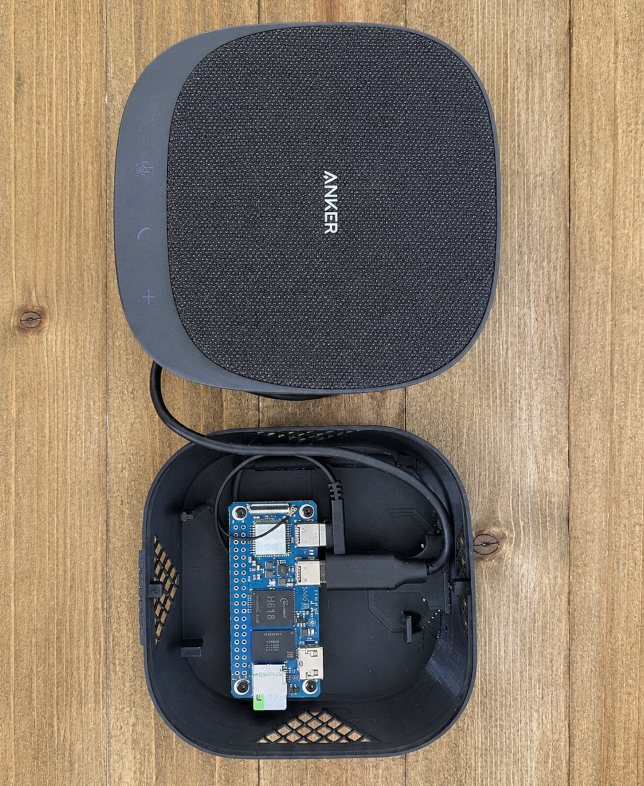
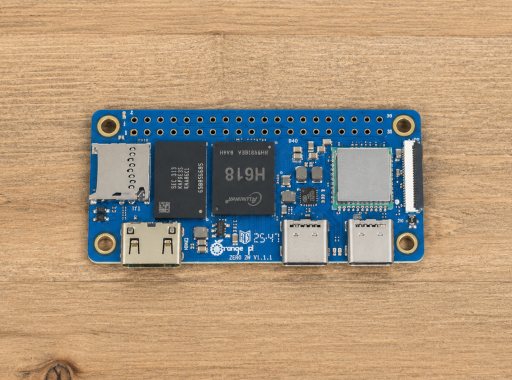
The result is a system you can spread across the house: a featherweight node on a Raspberry Pi Zero 2 W in each room, the heavy lifting on a server or workstation wherever you've got the horsepower.
# point Kenzy at a model on your own machine model: "ollama/llama3.1" base_url: "http://localhost:11434" # ...or a cloud provider, same two lines # model: "gpt-4o" # model: "claude-opus-4-8"
// How it works
Step 1 · Hears you
A small speaker-mic in the room catches the wake word on the device itself — nothing is sent anywhere until you actually call on it.
Step 2 · Thinks
Your words become text and your chosen AI figures out the request — and which room and which person it came from.
Step 3 · Acts
It runs the command — your lights, a question, an announcement — and speaks the reply back in your room.
// From the maker
I've wanted this since I watched Tony Stark talk to J.A.R.V.I.S. — an assistant so woven into his life it was basically an extension of him. For a long time that was wishful thinking: the speech recognition wasn't good enough, the synthetic voices sounded like robots, and the "brain" didn't exist yet. Then, one piece at a time, the technology caught up. I started building Kenzy about seven years ago and shipped the first release in 2020, during the lockdown — for my own house first, and now for yours.
Honestly, most of the technology inside isn't mine. Kenzy is assembled from the work of a lot of brilliant makers — openWakeWord, Whisper, SpeechBrain, Kokoro, the open model ecosystem — and my job was mostly to put the pieces together so they disappear into the walls. She's not smarter than the AI you already know; she runs the same models. She's just there — in the room, already listening, no phone to dig out.
The other day my wife Nicki was making sweet tea and asked me how much sugar to use. I just said "Hey Kenzy" — and she answered, out loud, in the kitchen: a cup per gallon, more if you want it southern sweet. Nobody touched a screen. That's the whole idea, and it's why the reminders, the lists, the timers exist too: Nicki asked, so I built them.
— John somewhere in the Southern US · lnxusr1 on GitHub
nicki: how much sugar goes in the tea? john: hey kenzy — how much sugar should we use? kenzy: One cup per gallon for sweet tea — a cup and a half if you want it southern sweet.
// a real exchange. no app was opened in the making of this tea.
// Common questions
Privacy
Yes — wake word, speech, and the AI can all run on your own hardware. Prefer a cloud model for the "brain"? Opt in piece by piece — and if the cloud fails, Kenzy can quietly fall back to a local model, and the everyday commands never needed the internet at all.
Cost
No. There's no Kenzy account and no monthly fee — you run it on hardware you already own.
Smart home
Yes, through Home Assistant — control lights, locks, scenes and more by voice, from any room.
Setup
One command installs it on Linux. There's a full manual path too, and a web dashboard to manage every room once it's running.
Hardware
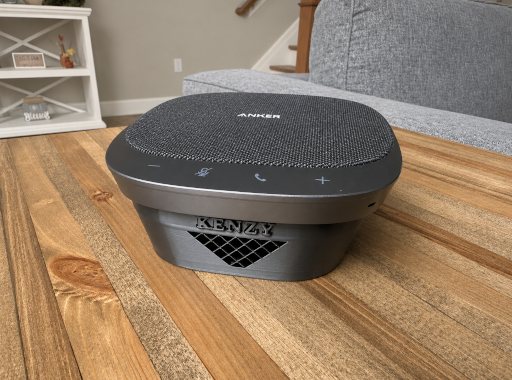
The room nodes are designed to run on small single-board computers (SBCs) like the Raspberry Pi, paired with a speakerphone that has echo cancellation — that's what lets Kenzy hear you over her own voice, and it's what powers the two-way intercom and self-silencing alarms. (On a speaker without it, Kenzy adapts honestly: those two features politely decline rather than misbehave, and everything else works.) You'll also want one more capable machine for the server and AI — or point the AI at a cloud model. See the hardware guide in the docs for tested boards.
Privacy
As little as you want — including nothing at all: every stage can run on your own hardware, and the Running Fully Local guide shows exactly how. Out of the box, the wake word and voice recognition never leave (no cloud version of them exists), speech-to-text is local by default, and the AI "brain" and speaking voice start on a provider for the easiest setup — swap in local models whenever you like. Skills that fetch the outside world (weather, news, web search) only make requests when you use them, and you can turn any of them off.
Music
It's on the roadmap — multi-room music is a feature we're working on. For now, you can pair Kenzy with Home Assistant and Music Assistant for whole-home audio.
Languages
English, today. Multi-language support is on the roadmap but not here yet — we'd rather tell you now than after you've set it up.
// Bring it home
Install it, run the services you need, point it at your hardware, and start talking. The docs walk you through every step.